

Preserve your designs—
and their structure.
Ray is a browser-based design editor that lets you edit text, shapes, and images,
and export both finished images and data describing the structure of your designs.
Editing is not supported on smartphones or tablets.
How Ray Works
01 OVERVIEW
From Design Creation
to Structured Data Export
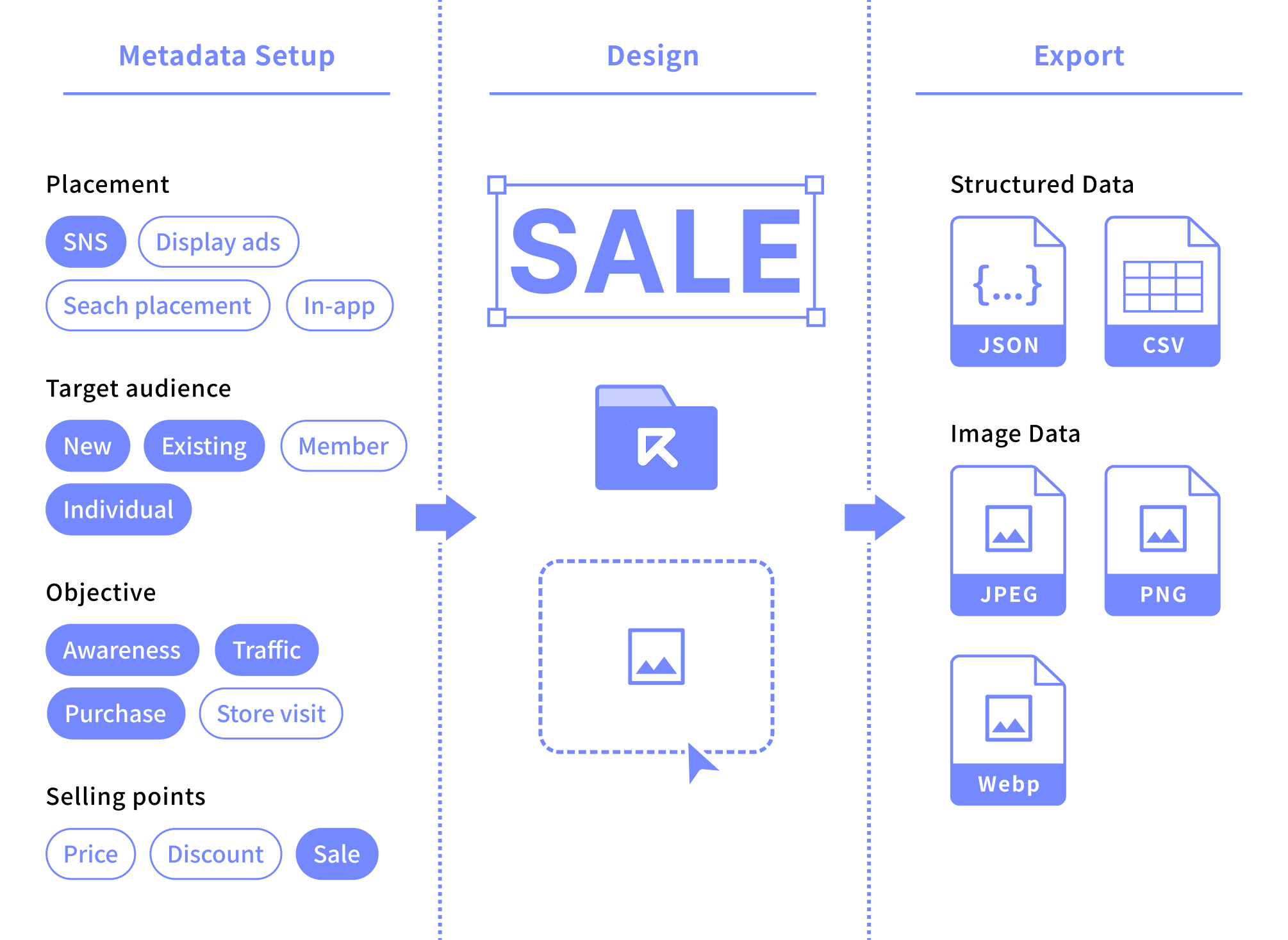
Ray is a browser-based design editor for working with text, shapes, images, and more. You can set project metadata such as distribution channels, target audiences, and objectives when creating your designs. Along with finished images, Ray lets you export project information and data describing the structure of your designs in JSON and CSV formats.
You can set distribution channels, target audiences, objectives, key messages, and other metadata in the project management section on the Home screen.
 02 DESIGN DATA
Information That
Makes Up a Design
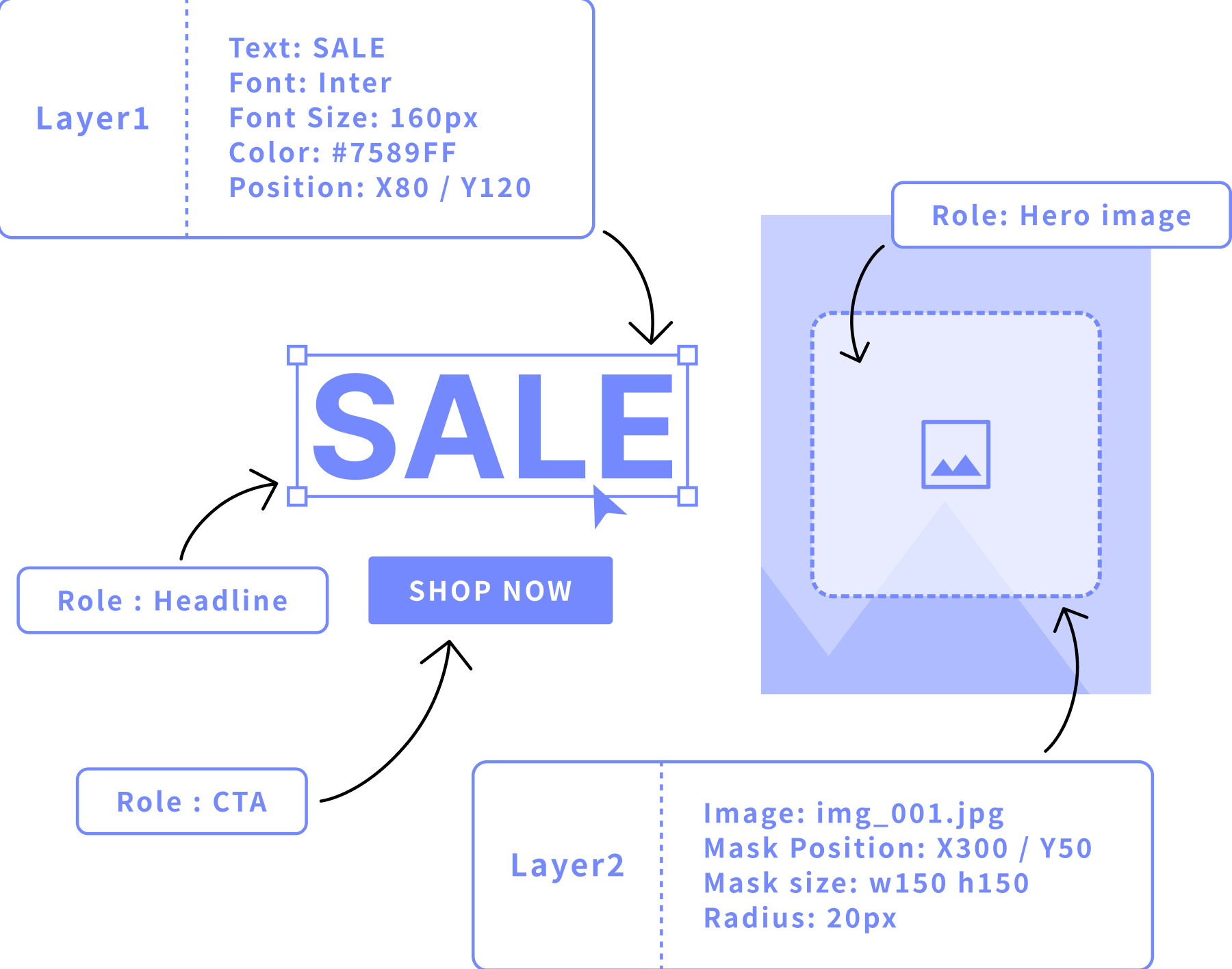
In Ray, each layer—including text and images—retains attributes such as content, position, size, and color. You can also assign roles such as Headline, CTA, and Hero Image, allowing you to manage not only how a design looks but also the information that describes its structure.
You can assign a role to each layer in the Role field on the Editor screen. You can also add custom roles and give them names of your choice.
 03 EXPORT
Structured Data
Export Formats
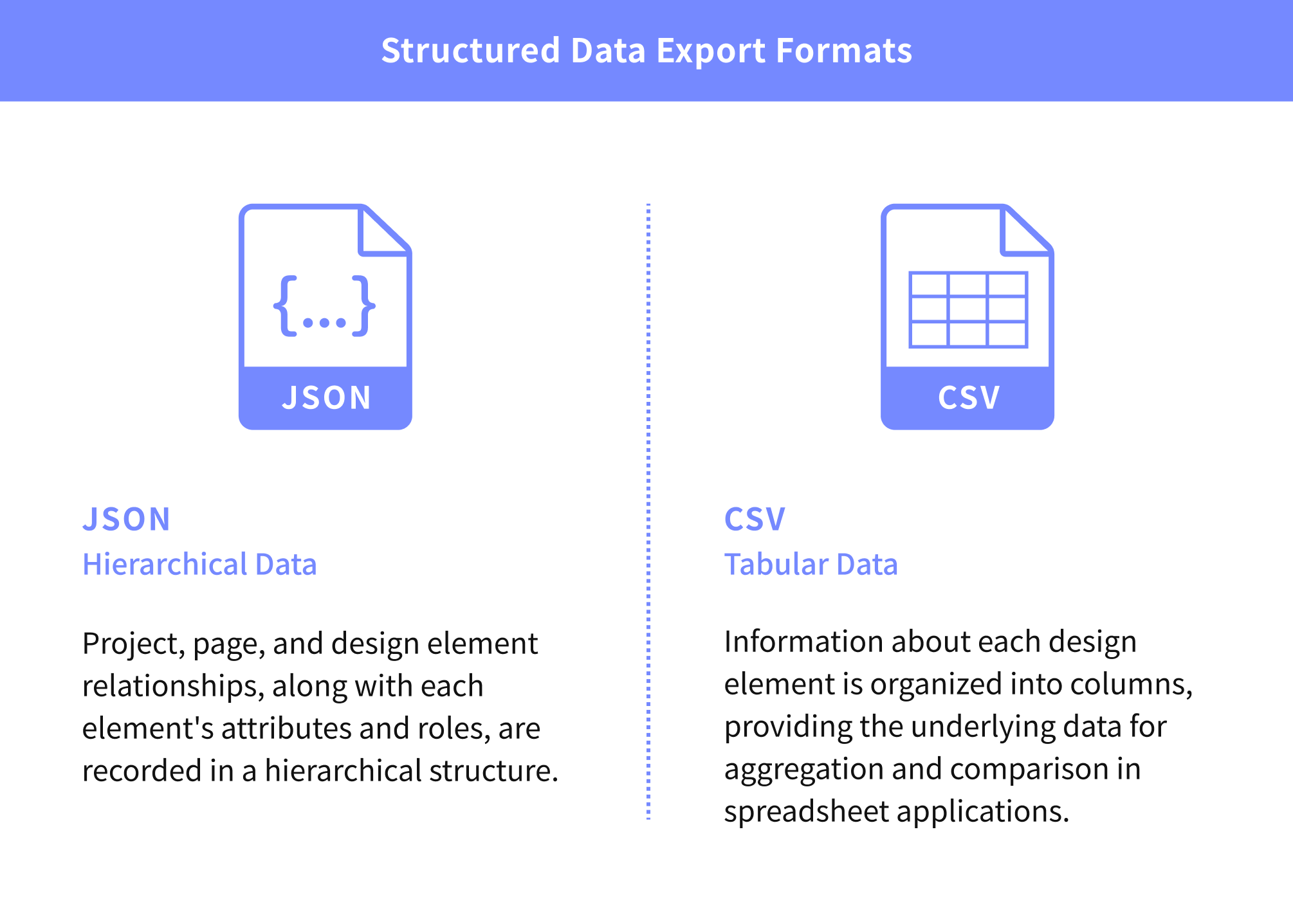
Ray lets you export information about your design's structure in two formats: JSON and CSV. JSON preserves project, page, and design element information in a hierarchical structure, while CSV organizes the attributes of each element in a tabular format. Along with finished images, these formats allow you to use your design information as data.
You can enable or disable JSON and CSV exports individually in the Export settings on the Editor screen. Both options are enabled by default.
Putting Design Data to Use
04 CSV
Comparing Performance Metrics
with Design Elements
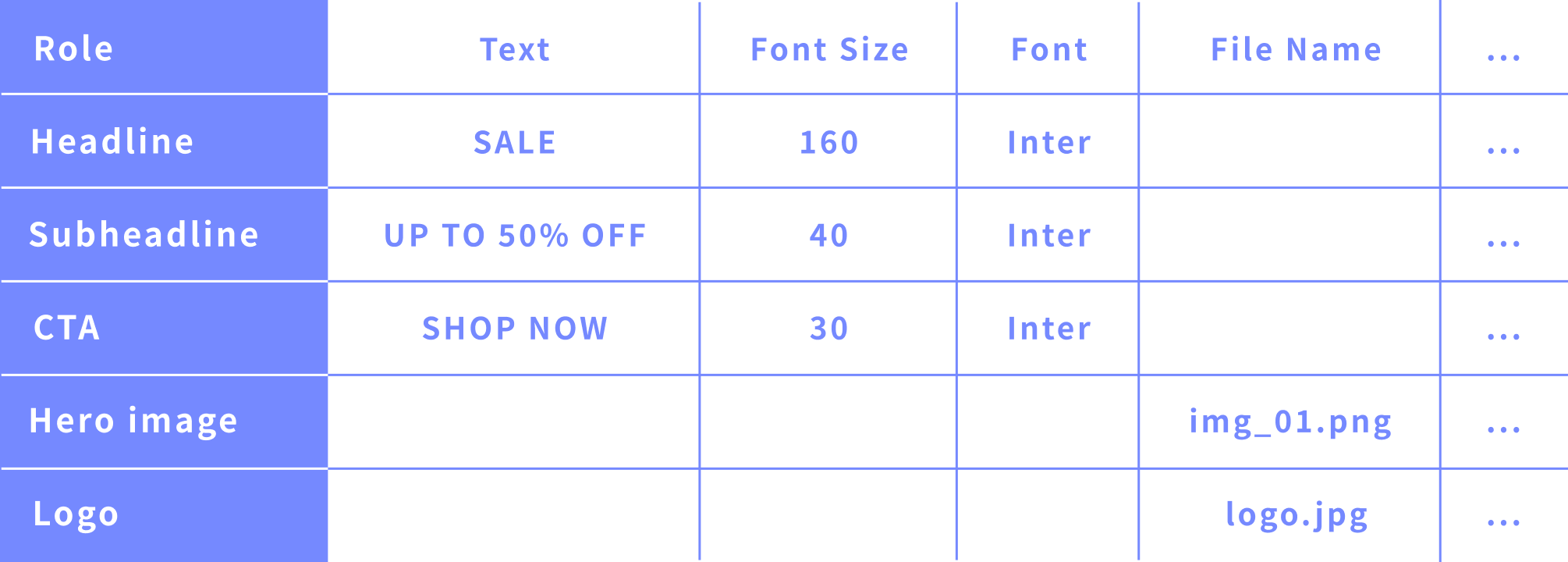
With CSV, you can export the attributes of design elements—such as text, fonts, images, and roles—in a tabular format.
By combining this information with externally managed performance metrics such as CTR and CVR, you can compare and organize differences in design composition across creatives.
By linking and accumulating design information alongside performance results, you can review past creatives and use that information as a reference when planning future designs.
Ray does not currently support automatic retrieval, merging, or analysis of performance data.

 05 JSON
Using Structured Data
to Inform Future Designs
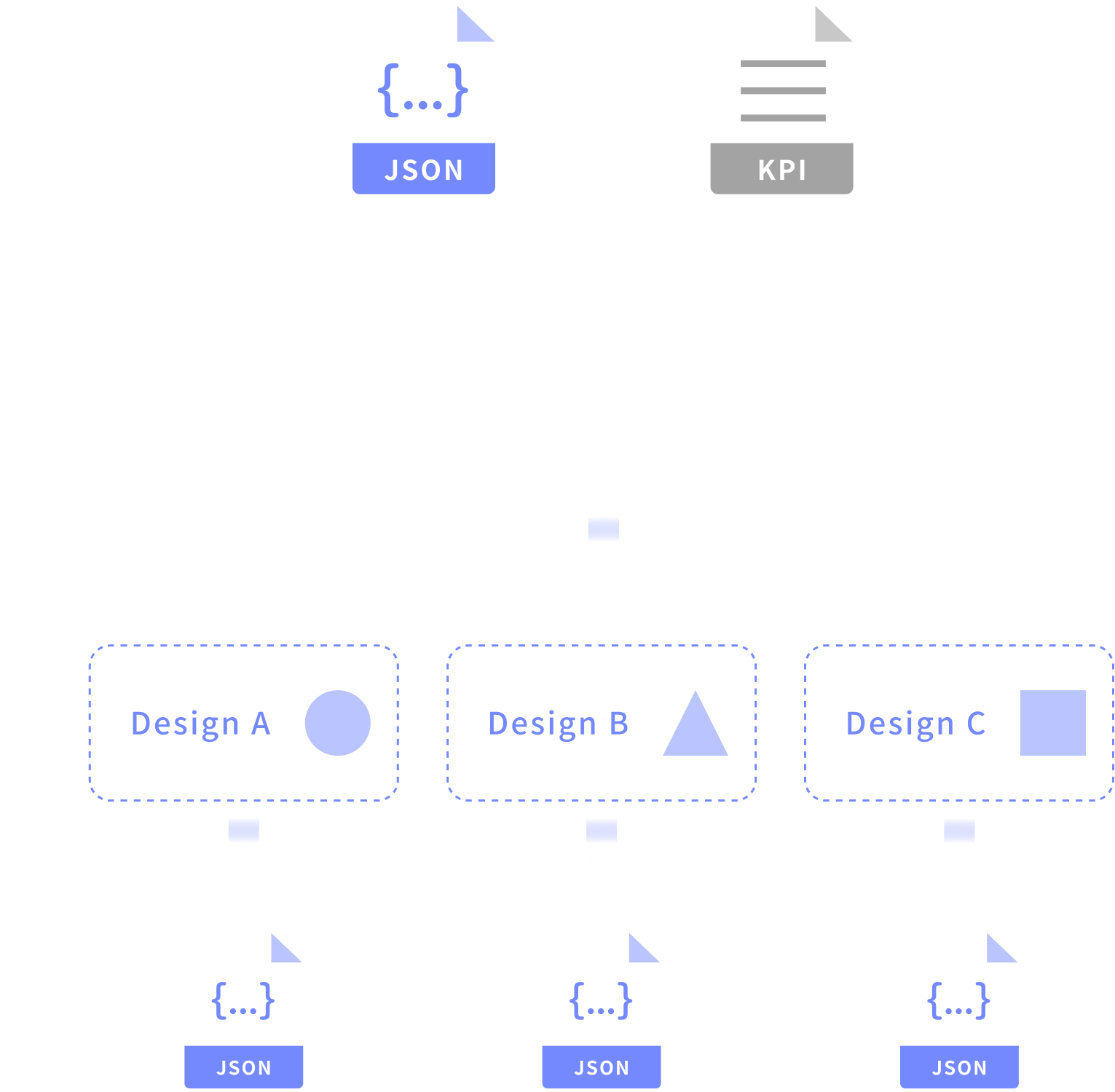
Ray's JSON exports contain project information, along with the attributes and roles of design elements. By collecting these files over time, you can review past creatives not only as finished images but also through the information that describes their structure.
By combining this data with externally managed performance results and separately setting up an environment where AI can access it, you may also be able to explore new creative concepts and potential improvements informed by past design structures and outcomes.
By continuing to accumulate structured information from new designs, you can create a cycle in which past work informs future creative development.
Why Preserve Design Structure
in JSON?
When AI analyzes a finished image, it must recognize or infer details such as text, placement, and the roles of individual elements from visual information.
By contrast, Ray's JSON records text content, position, size, and roles as structured information. When provided to an AI system, this data allows those details to be referenced directly.
A key advantage of JSON is that it provides explicit information about a design's structure rather than relying solely on inferences from an image.
Ray's JSON
- Access structured information directly
- Read text content as strings
- Retrieve numeric position and size values
- Retrieve assigned roles
Images (PNG, JPEG, etc.)
- Analyze a pixel-based image
- Recognize text from the image
- Estimate position and size from the image
- Infer the roles of elements such as headlines and CTAs

Features & Compatibility
| Image Export | PNG / JPEG / WebP (0.5× / 1× / 2× / 3×) |
|---|---|
| Image Import | Local image files / Image URLs (up to 5 MB) |
| Structured Data Export | JSON / CSV |
| Project Files | Save and load .ray files locally |
| Project Storage | Automatically saved in your browser (IndexedDB) |
| UI Languages | English / Japanese |
| Account Registration | Not required |
| Supported Devices | Desktop and laptop computers. Editing is not supported on smartphones or tablets. |
| Recommended Browsers | Google Chrome / Microsoft Edge (latest versions) |
Preserve your designs—
and their structure.
Ray is a browser-based design editor that lets you edit text, shapes, and images,
and export both finished images and data describing the structure of your designs.
Editing is not supported on smartphones or tablets.